Best for
Who should buy it
4K gaming PCs, high-refresh 1440p builds, creator desktops using NVIDIA Studio workflows, ray-tracing-heavy games, and buyers who value DLSS and Reflex support.
 Our Method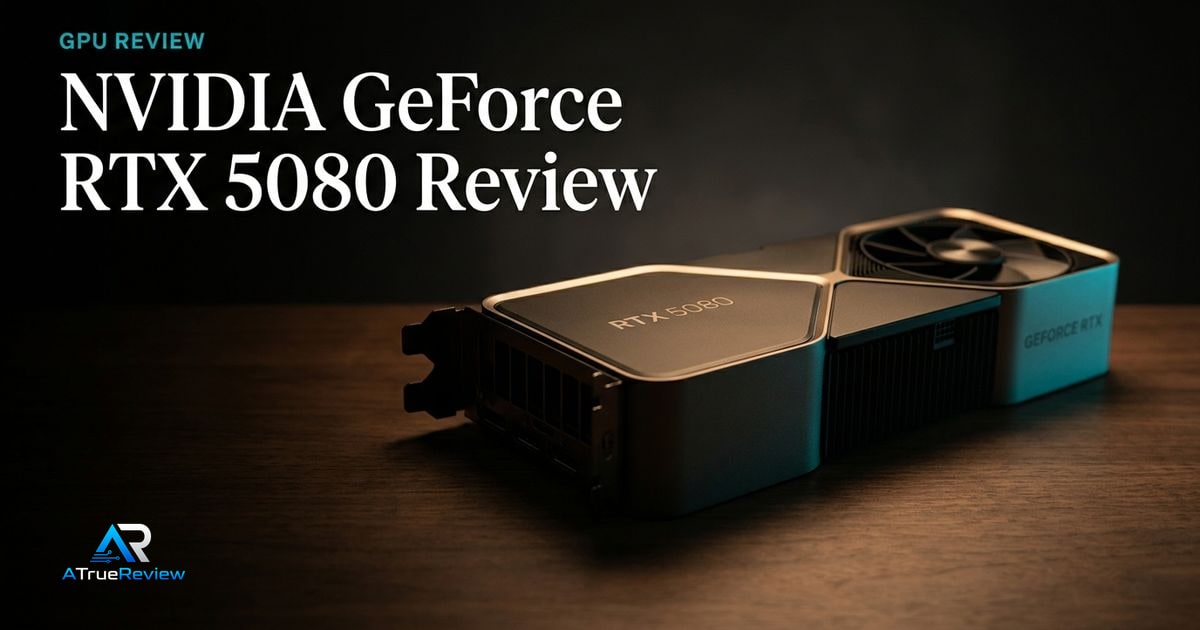
Graphics card review
A review of the NVIDIA GeForce RTX 5080, focused on whether Blackwell performance, DLSS, Reflex 2, ray tracing, and creator features justify the premium for a real 4K or creator build.
Verdict
Recommended
A high-end NVIDIA candidate for 4K gaming and creator work where ray tracing, DLSS, Reflex, Studio drivers, and NVIDIA's software stack matter as much as raw raster performance.

Best for
4K gaming PCs, high-refresh 1440p builds, creator desktops using NVIDIA Studio workflows, ray-tracing-heavy games, and buyers who value DLSS and Reflex support.
Skip if
You need the lowest-cost GPU, you mainly play lighter esports titles, 16GB VRAM is not enough for your creator workload, or you want a final tested value, power, acoustic, and thermal verdict before buying.
Test window
Launch brief based on NVIDIA product documentation. Hands-on game benchmarks, creator workloads, ray tracing, DLSS, latency, power, thermals, noise, driver, case-fit, and PSU-cable testing is still required before final scoring.
Specs
Key findings
The NVIDIA GeForce RTX 5080 is the high-end Blackwell card most enthusiast PC builders will weigh in 2026: not the halo, not the value pick, but the price-to-features sweet spot of the new generation. Whether it is the right buy depends almost entirely on how much you weigh the NVIDIA software stack — DLSS 4, Reflex 2, Studio drivers, CUDA — versus raw raster bang-per-dollar.
That is the question this launch brief tries to frame honestly. The answer for most readers will not come from spec sheets; it will come from benchmarks, current street pricing, and what the rest of the build looks like.
The strongest case is platform depth. NVIDIA’s official product page lists 10,752 CUDA cores, fifth-generation Tensor Cores, fourth-generation ray-tracing cores, 16 GB of GDDR7 memory across a 256-bit interface, DLSS upscaling and frame generation, Reflex 2, NVIDIA Studio drivers, Broadcast, G-SYNC, and PCIe Gen 5. None of those individually wins the buying argument; together they describe a card that is not just gaming hardware but the entry point to a software ecosystem.
For high-refresh 1440p, native 4K, and ray-tracing-heavy titles, that combination has been hard for AMD and Intel to match across multiple cycles. DLSS frame generation in particular reshapes the playable framerate ceiling at native 4K in a way no purely rasterized GPU can.
For creators, the calculus is simpler: NVIDIA Studio drivers, CUDA acceleration in Resolve and Premiere, OptiX in Blender, and AI acceleration for Topaz and Stable Diffusion remain the fastest path on a Windows desktop. The RTX 5080 fits naturally into that workflow.
GPU recommendations are exceptionally price-sensitive. Specs do not tell you whether the card is worth its street price, whether a partner cooler is quiet enough, whether the card fits your case, whether the 12V-2x6 cable bends safely behind the GPU, or whether 16 GB of VRAM is enough for the workload that matters to you.
A 5080 at MSRP is a different product than a 5080 at 30% above MSRP. Specs cannot answer that question; the market does, weekly.
— The honest framing
Three risks deserve testing before any final score. First, the partner cooler matters more than NVIDIA’s reference photos suggest — fan noise, coil whine, and case clearance vary by model. Second, the 12V-2x6 connector remains the most common failure mode on modern NVIDIA cards; the cable, the PSU, and the seating depth all need to be verified, not assumed. Third, performance against AMD’s RX 9070 XT and Intel’s halo card is exactly the comparison NVIDIA marketing skips, and exactly the one buyers need.
Before this becomes a fully scored review, the site needs to test 4K and 1440p in a representative game basket, ray tracing on and off, DLSS image quality, frame-generation latency, sustained creator exports, AI workloads, board power and transient behavior, fan noise under load, coil whine, case clearance with a 360-mm AIO and a tower air cooler, and 12V-2x6 cable routing in tight cases.
It is, but only when the system and workload can cash the check. The RTX 5080 makes sense when the buyer is actually building around one of three realities: a 4K gaming target where DLSS and ray tracing matter, a high-refresh 1440p machine where Reflex and frame generation change the experience, or a creator desktop where CUDA, Studio drivers, and NVIDIA’s AI tooling save time repeatedly.
It does not make sense as a status purchase. If the monitor is still 1440p 144 Hz, the game mix is mostly lighter rasterized titles, or the money would fix a weaker CPU, SSD, or display first, then the “NVIDIA tax” is not earning its place. In that build, a lower tier or cheaper alternative is the honest answer.
The RTX 5080 sits in an uncomfortable spot. Above it, the halo card costs significantly more and rarely returns its premium for gaming alone. Below it, the RTX 5070 Ti is the value pick most readers will end up buying. Across the aisle, the AMD Radeon RX 9070 XT competes hard on raster performance but ships with a weaker upscaling story.
The honest framing: if you mostly play rasterized games at 1440p and care about price-per-frame, the AMD card is a real alternative. If you play ray-tracing-heavy titles, want the best upscaling and frame generation, or do creator work that touches CUDA or NVIDIA Studio, the 5080 is the right tier. If you are budget-flexible and care about future-proofing past 16 GB of VRAM, the halo card is the upgrade.
If you are building a 4K-first gaming desktop or a creator workstation that benefits from CUDA acceleration, and street pricing is at or near launch MSRP, the RTX 5080 is the right tier of card. If the same money buys an RTX 5070 Ti and a meaningful CPU or storage upgrade, take the 5070 Ti — diminishing returns hit hard at the top of every GPU stack. If your workload is heavy local AI or 8K video, the answer is to pay up for more VRAM, not to compromise on the 5080.
The provisional verdict: a strong high-end Blackwell candidate, with the platform stack to justify the NVIDIA tax for buyers who will actually use it, but not yet a buy-at-any-price recommendation. Re-check after the cross-publication benchmark wave settles and after street pricing stabilizes. For shortlist context, route back through best graphics cards, graphics cards, or the wider computing hub.
Verdict shape
Pros
Cons
Alternatives
FAQ
For native 4K rasterized gaming today, yes — modern AAA titles still fit comfortably. With heavy ray tracing, ultra texture packs, and DLSS frame generation enabled, 16 GB starts looking tight on a few games at the bleeding edge. If you are buying primarily for local AI, large LLMs, or 8K video timelines, plan around 24 GB instead.
Strongly recommended. ATX 3.1 PSUs ship with native 12V-2x6 cables and the connector spec that handles transient spikes cleanly. Adapter dongles from older PSUs work but are the most common failure mode reported on this connector family. See our [Corsair RM850x SHIFT review](/reviews/corsair-rm850x-shift-review/) for one current ATX 3.1 option.
Most modern partner RTX 5080 cards are 300–340 mm long and 2.5–3.5 slots thick. Check both length and slot height against your chassis spec. A spacious mid-tower or full-tower like the [Fractal North XL](/reviews/fractal-north-xl-review/) is the safe path; smaller cases need careful card selection.
NVIDIA's launch positioning suggests meaningful gains in ray tracing and AI workloads with DLSS 4 frame generation, plus moderate raster gains. Independent benchmarks vary by title, resolution, and CPU. Treat any single-number "X% faster" claim with caution until cross-publication benchmarks settle.
For most creator workloads — Premiere, DaVinci Resolve, Blender, Topaz, Stable Diffusion — the NVIDIA Studio stack and CUDA acceleration remain the fastest path. The RTX 5080 is a sensible creator choice unless your workflow specifically needs more than 16 GB of VRAM, in which case the 24 GB-class card is the honest answer.
The RTX 5080 has 16 GB of GDDR7 memory on a 256-bit memory interface.
It has 10,752 CUDA cores, with fifth-generation Tensor cores and fourth-generation ray-tracing cores on the NVIDIA Blackwell architecture.
It uses a single 12V-2x6 (16-pin) power connector, so check case clearance and cable fit before buying.
Yes. It uses a PCI Express Gen 5 interface and offers HDMI 2.1b plus three DisplayPort 2.1b outputs.