Best for
Who should buy it
Gaming PCs, PS5-compatible storage builds with the right heatsink, creator workstations, and laptop/desktop upgrades where PCIe 4.0 support is available.
 Our Method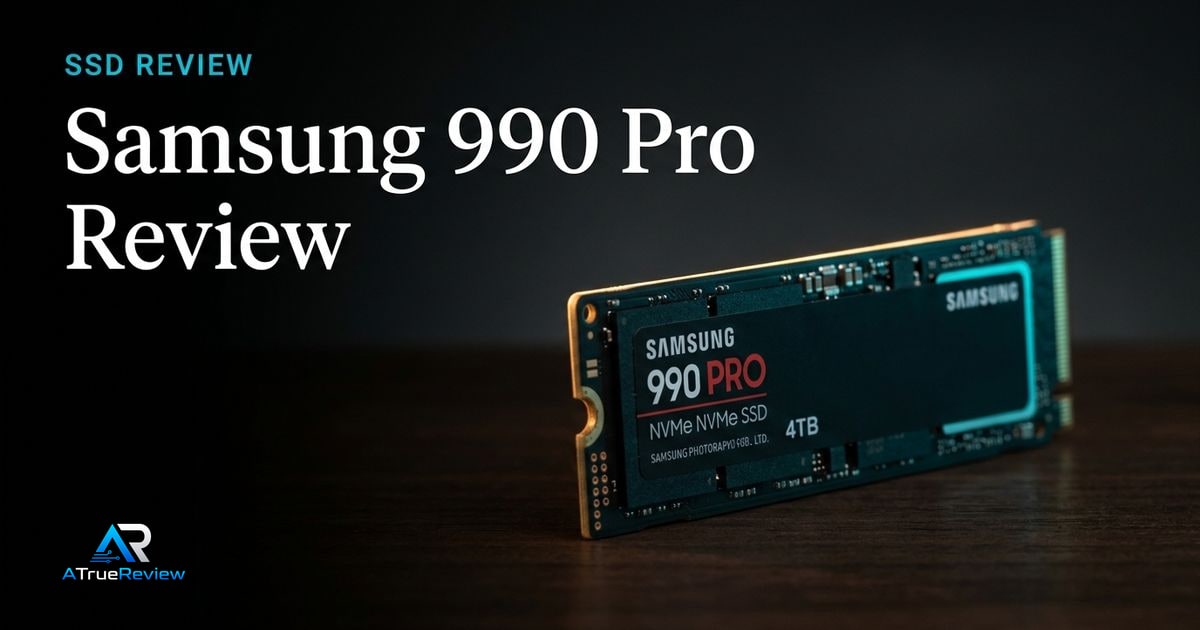
Internal SSD review
A review of the Samsung 990 Pro, focused on PCIe 4.0 NVMe performance, power efficiency, thermal control, and whether the safe Gen4 flagship is still worth buying over Gen5 drives.
Verdict
Recommended
The safest current Gen4 flagship SSD candidate for buyers who want high performance without moving to a hotter, more platform-dependent Gen5 drive.

Best for
Gaming PCs, PS5-compatible storage builds with the right heatsink, creator workstations, and laptop/desktop upgrades where PCIe 4.0 support is available.
Skip if
Your system only supports older interfaces, you need the absolute fastest Gen5 sequential speeds, or you want a final tested thermal/sustained-write verdict before buying.
Test window
Launch brief based on Samsung product documentation and launch materials. Hands-on sustained write, thermal, firmware, and real workload testing is still required before final scoring.
Specs
Key findings
The Samsung 990 Pro is the boring-on-purpose answer to the consumer SSD question of the moment: should you buy a current top-tier PCIe 4.0 drive, or chase the headline numbers on PCIe 5.0? The 990 Pro is the strong default for most readers because it sits near the practical ceiling of Gen4 performance while staying on a platform that is broadly supported, cool, low-power, and mature.
It is not the fastest SSD you can buy in 2026. It is the fastest SSD that you can drop into almost any modern PC or PS5 without rethinking the rest of the build.
The strongest case is maturity. Samsung’s official product page frames the 990 Pro around gaming, heavy workloads, power efficiency, and capacities from 1 TB to 4 TB on the current PCIe 4.0 NVMe platform. The Samsung Pascal controller and V-NAND combination has had time to settle, the Magician software stack is the most polished in consumer SSDs, and the platform is supported on essentially every modern desktop and laptop motherboard.
Real-world performance — OS responsiveness, game loads, application launches, photo and video imports — is dominated by 4K random reads and writes, not peak sequential speed. The 990 Pro is among the strongest drives in those categories that actually shape the daily feel of a PC.
For PS5 owners, the 990 Pro is one of the most validated drop-in upgrades — both Samsung and the wider community have confirmed compatibility with the heatsink variant or with an effective aftermarket heatsink.
That is the real commercial question. The 990 Pro does not need to win the sequential-speed chart; it needs to justify why a buyer should stay on the mature Gen4 platform instead of paying more for hotter Gen5 bragging rights.
If the system is a mainstream desktop, laptop, or PS5 and the workload is normal gaming, operating-system duty, or creator work without massive sustained sequential transfers, the answer is yes. If the buyer already has a Gen5 slot, strong heatsinking, and a known workload that actually uses the bandwidth, the value gap closes.
SSD spec sheets overemphasize peak sequential speed. The more important questions are sustained write behavior after the SLC cache exhausts, heat under long transfers, firmware maturity, random responsiveness, laptop power draw, and whether the buyer actually has a board slot that can use the drive at full Gen4 speed.
The 990 Pro wins where you live — boot, game loading, application launches, file management. It loses where you don’t — sequential benchmark charts and “biggest number” marketing.
— The honest framing
Two real caveats deserve attention. First, sustained writes after SLC cache exhaustion fall significantly on the 1 TB variant — large file transfers feel slower than the headline number suggests. Second, earlier 990 Pro firmware revisions reported health-percentage decline faster than the actual NAND wear justified. Samsung has patched this; current buyers should run Samsung Magician after install and confirm firmware is up to date.
Before any final scoring, the site needs to test OS responsiveness, game load times, large file copies, sustained writes after cache exhaustion, thermal throttling with and without heatsink, Samsung Magician behavior, and performance in both desktop heatsink and tighter laptop-style thermal environments.
The flagship Gen4 segment has settled into a clear pair: the Samsung 990 Pro and the WD Black SN850X. They trade leadership in micro-benchmarks but are within margin of error for almost every real-world task. Pick whichever has the better price and the right capacity in stock.
Above them on the chart, Gen5 drives like the Crucial T705 win sequential benchmarks but demand a Gen5 motherboard slot, a serious heatsink, and a workload that saturates the bandwidth. For most builds, that is the wrong trade.
Below them, drives like the Samsung 990 EVO Plus or Crucial P3 Plus are the right pick for secondary storage — bulk capacity, lower price, fine for game libraries — but a step down for an OS drive.
For shortlist context around that decision, the best internal SSDs guide shows where the 990 Pro sits relative to Gen5 and gaming-capacity alternatives, the internal-ssds category narrows the storage-only layer, and the wider computing hub helps buyers decide whether the real need is storage speed, more capacity, or another upgrade entirely. For builders pairing this with a current AM5 board, the ASUS ProArt X870E review covers M.2 slot allocation in detail. The full PC build pairs naturally with the RTX 5080, Vengeance DDR5, and Fractal North XL case.
If you are building or upgrading a modern PC or upgrading a PS5, want a drive that is fast where speed actually shows up in daily use, and prefer a mature platform with strong software support, the Samsung 990 Pro at 2 TB is the right default. If you specifically need Gen5 sequential bandwidth for a known workload, look at the Crucial T705 instead. If price-per-GB is the constraint, drop down to a 990 EVO Plus or competitor for secondary storage.
The provisional verdict: still the safest flagship-class consumer SSD recommendation. Final score depends on sustained-write, thermal, and firmware testing, but the positioning is sound and unlikely to change.
Verdict shape
Pros
Cons
Alternatives
FAQ
For most readers, yes. Real-world OS responsiveness, game load times, and creator workloads are dominated by random read performance and 4K behavior, not peak sequential speed. Gen5 drives win benchmark charts but require a Gen5 motherboard slot, a serious heatsink, and a workload that actually saturates sequential bandwidth. A Gen4 990 Pro is the right answer for most builds. See the [ASUS ProArt X870E review](/reviews/asus-proart-x870e-creator-wifi-review/) for context on M.2 slot allocation.
For a desktop motherboard with built-in M.2 heatsinks, no. For a PS5, yes — Sony specifies a heatsink. For laptops, you cannot fit any added heatsink, so the bare drive is the only option — accept that sustained writes will throttle harder. For desktops without integrated heatsinks, an aftermarket heatsink is enough.
2 TB is the sweet spot on price-per-GB and SLC cache headroom. 1 TB throttles harder under sustained writes and runs out of cache faster. 4 TB is the right answer for creators with large project libraries — the SLC cache window is larger and the rated TBW is higher.
Earlier 990 Pro firmware revisions reported declining health percentages faster than the actual NAND wear justified. Samsung released firmware patches that corrected the reporting. For a current purchase, run Samsung Magician after install and verify firmware is up to date.
Initial transfers run at the headline speeds. Once the SLC cache exhausts (typically tens of GB on 1 TB, hundreds of GB on 4 TB), sustained writes drop to native TLC speed — still respectable, but the difference is noticeable on multi-hundred-GB transfers. This is normal for all consumer SSDs; the 990 Pro is not unusual.
Sequential speeds reach up to 7,450 MB/s read and 6,900 MB/s write.
It is a PCIe 4.0 x4 NVMe drive in the M.2 2280 form factor.
It is available in 1 TB, 2 TB, and 4 TB capacities.
The 2 TB model is rated for 1,200 TBW, backed by a 5-year or rated-TBW warranty.
Yes, a heatsink model is sold as a separate SKU.