Best for
Who should buy it
AMD Ryzen 9000, 8000, and 7000 desktop builds, creator workstations, fast local-network workflows, multi-drive builds, and buyers who value USB4 and dual Ethernet.
 Our Method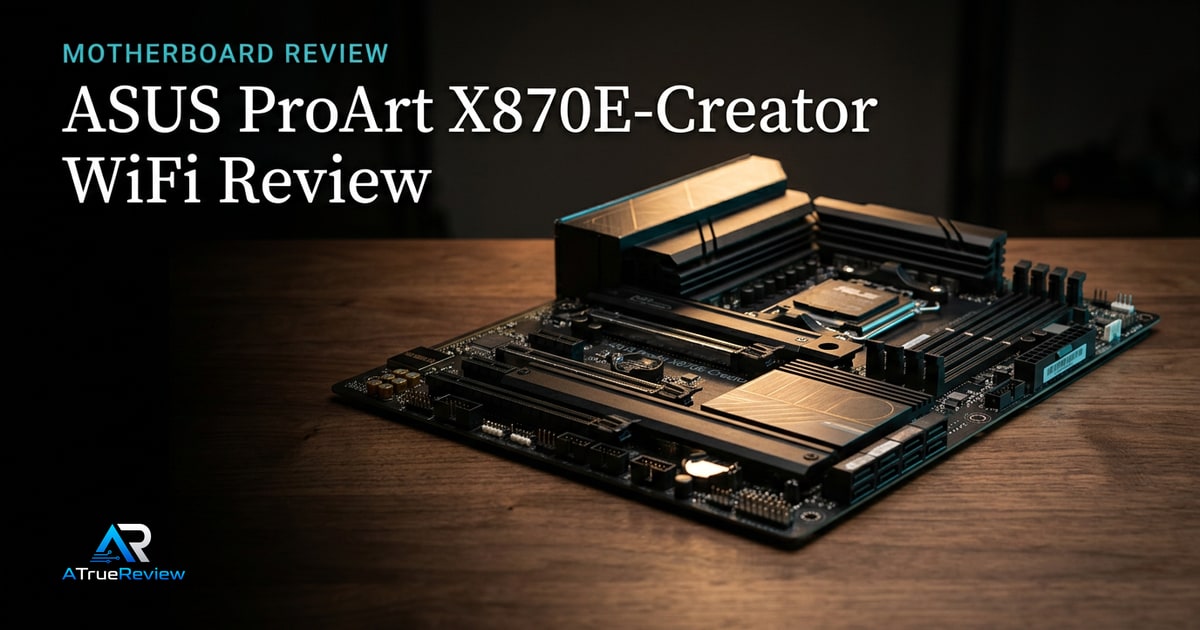
Motherboard review
Is the ASUS ProArt X870E-Creator WiFi worth its premium? Our verdict on the 10GbE, dual USB4, PCIe 5.0 and Wi-Fi 7 it brings to AM5 creator and workstation builds.
Verdict
Recommended
A strong creator-focused AM5 motherboard candidate for builders who need fast networking, USB4, PCIe 5.0 expansion, and storage flexibility more than RGB-heavy gaming styling.

Best for
AMD Ryzen 9000, 8000, and 7000 desktop builds, creator workstations, fast local-network workflows, multi-drive builds, and buyers who value USB4 and dual Ethernet.
Skip if
You need a lower-cost AM5 board, you do not use 10 Gb networking or USB4, you are building Intel, or you want a final tested BIOS, memory, VRM, and lane-sharing verdict before buying.
Test window
Launch brief based on ASUS product documentation. Hands-on BIOS, memory QVL, PCIe lane sharing, USB4, networking, storage, VRM thermal, and full-build validation is still required before final scoring.
Specs
Key findings
The ASUS ProArt X870E-Creator WiFi is the rare premium AM5 motherboard that targets creators directly instead of bolting a “creator” sticker onto a gaming board. The package — dual USB4, 10 GbE plus 2.5 GbE, Wi-Fi 7, four M.2 slots, two PCIe 5.0 x16 slots, and a restrained gold-and-black design — describes the workstation desk first and the gaming rig second.
That is unusual in 2026. Most premium AM5 boards still optimize for RGB, gaming-marketing storage labels, and audio-stack pricing pages. The ProArt is one of the few that puts the right ports on the back panel.
The strongest case is connectivity density. ASUS’s official tech specs list two USB4 40 Gbps Type-C ports, a rear USB 20 Gbps Type-C, seven rear USB 10 Gbps Type-A, a front USB 20 Gbps connector with up to 30 W power delivery, 10 Gb Ethernet (Marvell AQtion), 2.5 Gb Ethernet (Intel I226-V), Wi-Fi 7 with Bluetooth 5.4, four M.2 slots, and four SATA ports.
For a creator desk, that combination is genuinely differentiated. Fast external drives, network storage, capture gear, monitor docks, and multiple internal SSDs all coexist without the back panel running out of ports.
The 16+2+2 VRM with 80 A power stages handles every current AM5 CPU comfortably, including the highest-end Ryzen 9 chips at unrestricted power limits. The four-DIMM DDR5 layout supports up to 256 GB of memory — well above the 64 GB / 96 GB ceiling of cheaper boards. The four M.2 slots, with one PCIe 5.0 x4, give creator builds room for OS, project, and bulk storage tiers without dropping to SATA.
That is the real commercial question. The ProArt does not need to be the cheapest AM5 board; it needs to justify why a creator or workstation build should pay extra for I/O density that gaming boards usually skip.
If the buyer will actually use dual USB4, 10GbE, several NVMe drives, and a cleaner creator-oriented rear I/O mix, the price starts to make sense. If the build is mostly a standard single-GPU desktop with ordinary USB, 2.5GbE, and one or two SSDs, the same money is much harder to justify here than on a cheaper X870 or B850 board.
Motherboard recommendations live or die on details that spec sheets do not settle. BIOS maturity, memory compatibility on EXPO and XMP profiles, PCIe lane sharing under load, M.2 heat at sustained writes, USB4 reliability, wake-from-sleep behavior, audio noise, VRM thermals at unrestricted power, and mechanical clearance under tall coolers can all change the real experience.
A premium AM5 board justifies its price only if the BIOS and the firmware ecosystem catch up to the spec sheet. The first 90 days after launch usually decide whether the board is what it claimed to be.
— The honest framing
Two specific risks deserve testing. First, the Marvell AQtion 10 GbE has a mixed driver-maturity history compared to Intel-only solutions; Linux and ESXi compatibility especially can need verification. Second, USB4 BIOS maturity has historically taken several BIOS revisions on every new platform — TB4-class accessories and DisplayPort tunneling are the most common pain points.
Before any final scoring, the site needs to test DDR5 EXPO kits across multiple speed tiers, cold boots, BIOS recovery, USB4 storage and display behavior, 10 Gb Ethernet throughput on Windows and Linux, M.2 temperatures under sustained writes, PCIe slot access with a large GPU, and whether the lane-sharing rules create unwanted compromises in real builds.
The ProArt sits alone in the AM5 lineup as a true creator-first board with this exact port mix. The closest competitors take different shapes: ASRock’s X870E Taichi delivers similar tier-leading specs with one Ethernet and one USB4, often at a lower price. Gigabyte’s X870E Aorus Master is the gaming-styled premium pick with strong VRM and storage but no dual USB4.
If the dual USB4 plus 10 GbE combination is not load-bearing for your workflow, the cheaper alternatives are honest answers. If it is, the ProArt is the only mainstream board that delivers it without dropping to a workstation-tier chipset and pricing.
For shortlist context around that decision, the best motherboards guide shows where the ProArt sits relative to mainstream AM5 and current Intel alternatives, the motherboards category narrows the board-only layer, and the wider computing hub helps buyers decide whether the real need is creator I/O, more storage lanes, or a different part of the build. For builders pairing this with the rest of a clean AM5 build, the Vengeance DDR5 6000 CL30 review covers the safe memory pick, the Samsung 990 Pro review covers the storage default, and the NH-D15 G2 review covers the cooling story.
If you are building an AM5 creator workstation that will use the dual USB4, 10 GbE, multiple M.2 SSDs, or all of the above, the ProArt X870E-Creator WiFi is the right answer. If you are building a single-GPU gaming rig that does not need any of those features, save the money and get a B850 or X870 board instead — the ProArt earns its premium specifically through creator features, not chipset alone.
The provisional verdict: the cleanest premium AM5 creator board on the market right now, contingent on BIOS maturity and USB4 driver settle-in. Final score depends on hands-on validation across memory, networking, USB4, and storage scenarios.
Verdict shape
Pros
Cons
Alternatives
FAQ
Only if you have a 10 GbE switch and a NAS or workstation to talk to at full speed. For local network video editing, large dataset moves, or multi-machine creator workflows, 10 GbE is transformative. For pure gaming and standard internet use, 2.5 GbE is enough — most homes do not even saturate 1 GbE.
Functionally, yes, for almost every storage, display, and dock use case. USB4 is the open standard that incorporates Thunderbolt 3-class behavior. Most current TB4 docks and SSDs work with USB4 hosts. The remaining edge cases involve very specific Apple and Intel-only Thunderbolt features.
Yes, the standard NH-D15 G2 fits this board with low-profile RAM. With taller heatspreader RAM, raise the front fan or use the HBC variant. The board's M.2 heatsink and rear I/O shroud do not interfere with cooler installation.
For most builds, no. A single high-end GPU plus one Gen5 M.2 SSD plus three Gen4 M.2 SSDs runs at full performance. Lane sharing only kicks in for unusual configurations like dual high-end GPUs, multi-PCIe-5.0-SSD setups, or specific PCIe 5.0 capture/AI accelerator cards.
X870E adds two PCIe 5.0 x16 slots (vs one on X870) and more total PCIe lanes. For a single-GPU build that does not use multiple Gen5 expansion cards, X870 or B850 covers the same use case for less. The ProArt X870E specifically earns its price through the combination of dual USB4, 10 GbE, and four M.2 slots — not the chipset alone.
A motherboard has no single power rating — total system draw depends on the CPU, GPU, and drives you install. The board uses a 16+2+2, 80A power-stage VRM that comfortably feeds high-end Ryzen 9000 chips, and board-level idle overhead is modest. Size your power supply around the CPU and GPU, not the motherboard.
It provides two PCIe 5.0 x16 slots for Ryzen 9000 and 7000 processors, giving full Gen5 expansion for a high-end GPU plus a Gen5 add-in card.
Four M.2 slots with a mix of PCIe 5.0 and PCIe 4.0 support, alongside four SATA ports for additional drives.
Yes. It pairs a 10 Gb Ethernet port with a 2.5 Gb Ethernet port and Wi-Fi 7 — the dual wired networking is a core creator-focused feature of this board.
It supports AMD Ryzen 9000, 8000, and 7000 desktop processors on Socket AM5, with DDR5 memory up to 256 GB.