Best for
Who should buy it
Right-handed competitive players who already like the DeathAdder shape and want Razer's newest wireless, sensor, switch, and scroll-wheel stack.
 Our Method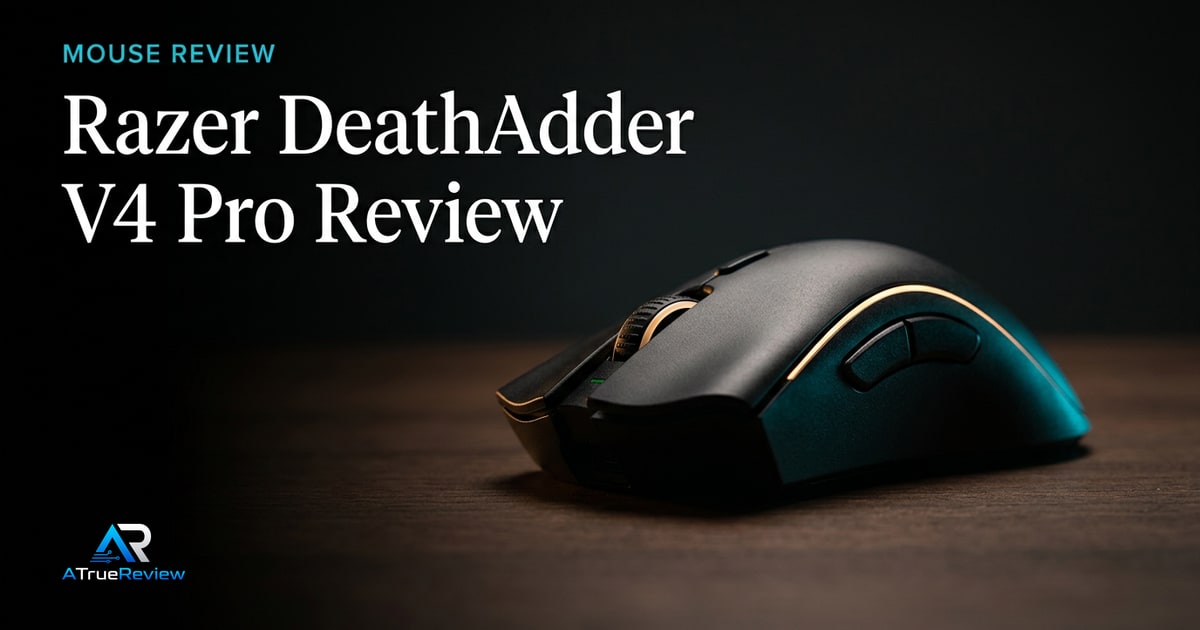
Gaming mouse review
A review of the Razer DeathAdder V4 Pro, focused on whether its ergonomic esports shape, 8K polling stack, and flagship Razer platform are worth paying for in a real hand.
Verdict
Recommended
The strongest current Razer ergonomic-mouse candidate on paper, pending direct shape, coating, click, battery, and software testing.

Best for
Right-handed competitive players who already like the DeathAdder shape and want Razer's newest wireless, sensor, switch, and scroll-wheel stack.
Skip if
You prefer smaller symmetrical mice, dislike Synapse dependency, want a budget pick, or need a final tested verdict before buying.
Test window
Launch brief based on Razer product documentation and launch materials. Hands-on aim, grip, battery, and software testing is still required before final scoring.
Specs
Key findings
The Razer DeathAdder V4 Pro is one of the clearest examples of why gaming-mouse buying is not really about spec-sheet escalation. On paper, it checks every expected flagship box: ultra-light weight, top-tier sensor, 8K wired and wireless polling, optical switches, optical scroll wheel, and a battery story that looks competitive at 1000 Hz. The real buying question is simpler: does the DeathAdder shape still deserve flagship status in a market where shape fit matters more than any headline spec?
That question is exactly why this page needed the richer review treatment. A great gaming mouse can be the wrong mouse for half the market. The DeathAdder line has survived for years because enough players keep answering the same thing: if the ergonomic shell fits your hand, everything else gets easier.
Razer’s launch announcement frames the mouse around a 56 g black model, 57 g white model, HyperSpeed Wireless Gen-2, up to 8000 Hz polling in both wired and wireless modes, and up to 150 hours of battery life at 1000 Hz. The product page adds the Focus Pro 45K Optical Sensor Gen-2, optical switches, optical scroll wheel, larger PTFE feet, and a redesigned dongle with battery and polling indicators.
The strongest case is continuity plus modernization. Many esports mice lose their identity while chasing lower weight and trendier shells. The DeathAdder V4 Pro does the opposite. It keeps the recognizable right-handed ergonomic formula and updates the internals to current flagship standards. That is exactly what long-time DeathAdder buyers want.
The optical scroll wheel is the underrated addition. Optical switches have been the headline for years; scroll wheels often remain a long-session weak point. If the implementation is good, this could matter more over ownership time than another small jump in sensor ceiling.
This page should stay provisional because shape-driven peripherals cannot be fully reviewed from launch materials.
A flagship gaming mouse is never universal. The better the shape identity, the narrower the fit becomes.
— The honest framing
The main risks are physical rather than technical. Coating feel, click tension, scroll definition, shell balance, lift-off behavior, dongle placement sensitivity, and battery drain at 4000 or 8000 Hz will matter more in real use than the marketing spec list. Synapse remains a separate practical concern: players who already dislike Razer’s software stack should treat that as part of the buying decision, not post-purchase cleanup.
Before any final scoring, the site needs palm, claw, and relaxed-claw testing across different hand sizes, battery drain testing at multiple polling rates, long-session control in tactical shooters and faster tracking-heavy games, and direct comparison against both symmetrical rivals and heavier ergonomic alternatives.
Yes, but only when the shape is already the answer. The DeathAdder V4 Pro earns its premium when the buyer knows they like larger right-handed ergonomic mice and wants that shell with modern weight, wireless, and sensor hardware instead of compromising into a safer but less natural fit.
It is not worth paying for as a gamble. If the buyer is unsure about ergonomic shapes, mostly cares about price efficiency, or would resent Synapse and high-polling battery tradeoffs, the premium shrinks fast. In that case the safer mainstream or symmetrical options are the honest recommendation.
The Logitech G Pro X Superlight 2 is the safer mainstream esports answer for players who want a symmetrical shell and lower software friction. It is the conservative pick.
The Razer Viper V3 Pro is the internal Razer alternative for buyers who want the same top-tier brand positioning but in a flatter, symmetrical shape better suited to fingertip and claw preferences.
The DeathAdder V4 Pro wins when a right-handed ergonomic shell is the reason you buy mice in the first place and you want that shape brought fully into the current generation.
For the rest of the gaming stack, the best gaming mice guide shows the shortlist logic, the gaming-mice category narrows the use case, and the Razer BlackShark V3 Pro review covers the same-brand headset pairing if the buyer is building a full competitive setup.
If you already like the DeathAdder family and want the flagship version of that shape with modern wireless and sensor hardware, the V4 Pro is the strongest current Razer ergonomic-mouse candidate. If you prefer smaller symmetrical shells, want less software friction, or care more about price efficiency than flagship tier, the buying case gets weaker fast.
The provisional verdict remains correct: the most logical current Razer anchor for the rebuilt mouse desk when the ergonomic shell already fits, contingent on real shape, battery, coating, click, and software testing before any final score. For shortlist context, route back through best gaming mice, gaming mice, or the wider computing hub.
Verdict shape
Pros
Cons
Alternatives
FAQ
Only if the ergonomic shape fits you better. The core buying split is shape philosophy, not spec tier. DeathAdder is the right-handed ergonomic branch; Viper is the low-profile symmetrical branch.
For most players, not much. The input-latency benefit exists, but it is small relative to aim skill, mouse shape fit, skates, pad choice, and monitor latency. The real cost is battery drain, which matters more day to day.
Sometimes, but not automatically. Smaller hands can still like it in relaxed claw or hybrid grips, but ergonomic shells live or die on side-button reach, hump placement, and back-shell support. This is exactly why hands-on testing matters.
It can be. Some buyers tolerate it fine; others resent the software overhead immediately. If you hate peripheral software, count that as a real negative before buying, not an afterthought.
Palm, claw, and relaxed-claw fit; click feel; scroll behavior; coating grip; battery drain at higher polling rates; dongle placement sensitivity; and whether the shell still feels controlled for smaller hands over longer sessions.
56 g for the black model and 57 g for the white model, in a right-handed ergonomic shape.
A Focus Pro 45K Optical Sensor Gen-2.
Up to 8000 Hz in both wired and wireless modes via HyperSpeed Wireless Gen-2.
Up to 150 hours at 1000 Hz, per Razer.
Yes, optical mouse switches and an optical scroll wheel, with enlarged PTFE feet.