Best for
Who should buy it
Homes that need a practical camera plus hub combination with good automation potential.
 Our Method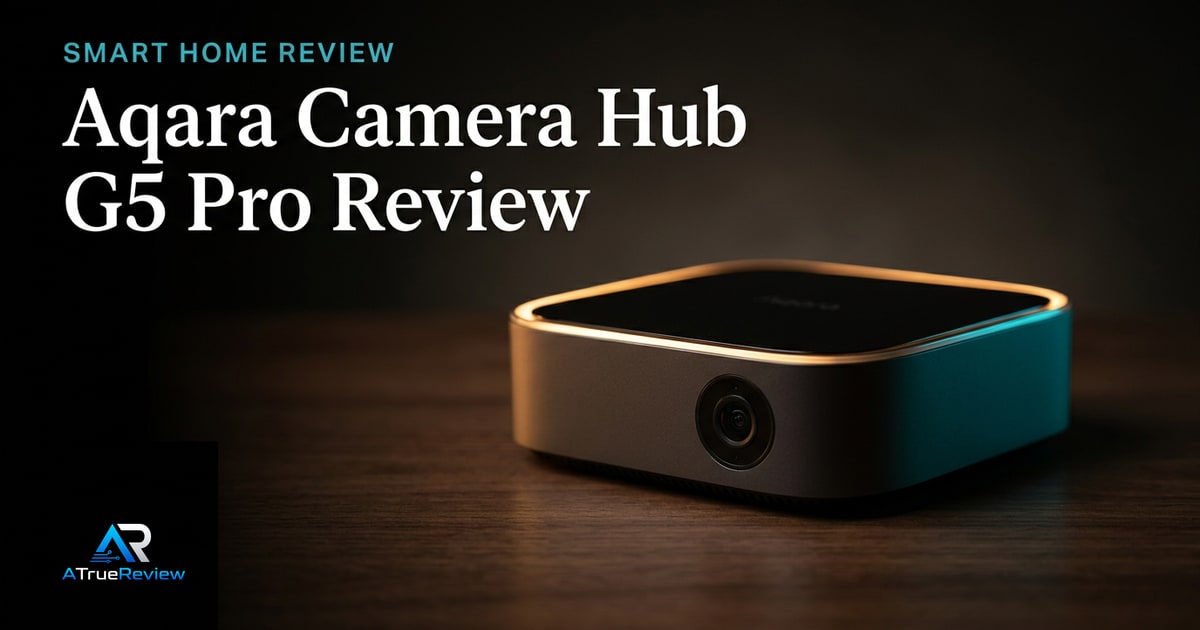
Smart home security review
Is the Aqara Camera Hub G5 Pro worth the complexity? Our verdict on its camera quality, local PoE vs Wi-Fi, privacy, and storage for serious smart-home setups.
Verdict
Recommended
The most compelling integrated smart-home camera candidate, pending direct alert, app, network, and night-video testing.
Best for
Homes that need a practical camera plus hub combination with good automation potential.
Skip if
You want the simplest standalone camera, a battery-powered install, or a final hands-on security verdict.
Test window
Launch brief based on Aqara product documentation and launch coverage. Hands-on home testing is still required before final scoring.
Specs
Key findings
The Aqara Camera Hub G5 Pro is interesting because it is not just trying to be a camera. Aqara is making a broader pitch: one device that handles outdoor security visibility while also acting as a meaningful smart-home control point. That combined role is exactly what makes the product commercially stronger than a normal camera launch brief and exactly why it needs more scrutiny than a normal camera launch brief.
A security camera can look excellent on paper and still fail in the only ways that matter: late alerts, unreliable apps, poor home-network behavior, and too much maintenance burden. The G5 Pro has a higher ceiling than most because it can be both security hardware and automation infrastructure. The same fact creates more ways for it to disappoint if the routine is not stable.
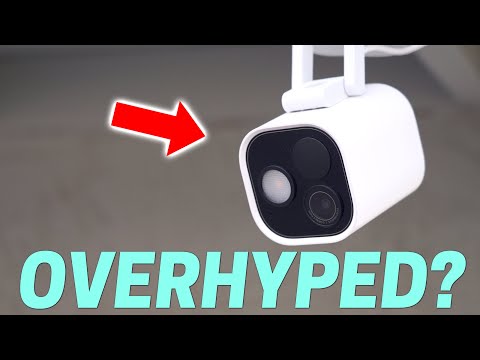
Aqara’s official specs page lists Quad HD 2688 x 1520 video, f/1.0 aperture, a 133 degree diagonal field of view, PIR detection, Bluetooth, Zigbee, Thread, IP65 weather resistance, and operating temperature from -30 C to +50 C. The product page adds the broader smart-home argument: Matter controller and bridge functions, HomeKit Secure Video, local encrypted storage, NAS support through SMB, RTSP local streaming, and both Wi-Fi and PoE variants.
That integrated story is the real reason the camera deserves attention. Smart-home security buying is rarely about the cleanest sensor spec. It is about whether the device reduces friction across the whole home instead of adding another isolated app and another fragile notification stream.
The PoE versus Wi-Fi split is another strong point because it makes the trade explicit. The PoE model is the serious home-security version for buyers who care about network stability. The Wi-Fi model is the convenience version for households that still want the integrated platform but cannot run cable.
This review cannot pretend the conclusion is finished. Home-security products live or die on routine reliability, not on a spec list.
A smart camera is only as good as its worst weekday. One missed alert or flaky app session matters more than ten clean spec-sheet wins.
— The honest framing
The biggest unknowns are operational. False alerts, person and vehicle recognition quality, app latency, HomeKit behavior, Wi-Fi versus PoE stability, RTSP and NAS setup friction, spotlight usefulness, and local-privacy behavior all need direct testing. The product also asks more of the buyer than a simple standalone camera because the hub capabilities only matter if the household actually wants a broader automation system.
Before any final scoring, the site needs real-home testing across at least one internet outage, one noisy lighting environment, and one routine-heavy setup where alerts, recordings, and device control all matter over several weeks.
Usually yes, but only when integration is the point of the purchase. The G5 Pro earns its premium when the buyer wants one device to cover outdoor visibility, local-storage options, and meaningful smart-home infrastructure work at the same time, especially if PoE and broader automation plans are already on the table.
It is not worth paying extra just to own the most flexible spec sheet. If the household mainly wants one easy camera, will stay on Wi-Fi with no broader automation plan, or will never touch RTSP, NAS, or hub features, then a simpler camera is the cleaner answer.
The G5 Pro is not the safest answer for every buyer. It is the highest-upside answer for a specific buyer.
A mainstream camera like a Google Nest Cam is the simpler route. It is easier to explain, easier to deploy, and easier to recommend to someone who only wants one camera and one app.
A network-native route like Ubiquiti UniFi Protect is the deeper enthusiast answer for households already committed to serious networking gear and willing to own more infrastructure directly.
The Aqara Camera Hub G5 Pro wins in the middle where integration is the point: buyers who want meaningful camera coverage, stronger privacy and local-storage options, and a device that can also serve as a smart-home control layer.
For the broader buying stack around it, the best smart home security devices guide shows the category shortlist, the smart-home-security category narrows the device type, and the smart-home hub frames where this fits inside a calmer whole-home setup.
If you want a camera that can also do real smart-home infrastructure work, the G5 Pro is one of the strongest current candidates in the category. If you want the simplest single-camera purchase possible, it is probably more product than you need. If your home already has a clear PoE plan and you care about privacy, local options, and ecosystem breadth, the buying case gets much stronger.
The provisional verdict stays right: the most compelling integrated smart-home camera candidate on paper for buyers who will actually use the integration depth, contingent on alert quality, app reliability, network behavior, and night-use testing in a real home. For shortlist context, route back through best smart home security devices, smart-home security, or the wider smart-home hub.
Verdict shape
Pros
Cons
Alternatives
FAQ
Usually yes, if you can wire for it. PoE reduces wireless fragility, makes placement more predictable, and better fits a serious home-security setup. The Wi-Fi version is the convenience option for households that cannot or will not run cable.
Potentially. That is one of the product's strongest arguments. The camera can also serve as an Aqara smart-home anchor through Zigbee, Thread, Matter, and ecosystem bridging, which may remove the need for a separate controller in smaller homes.
On paper, yes. Aqara's combination of encrypted local storage, NAS support through SMB, RTSP, and HomeKit Secure Video is far stronger than a basic cloud-only camera story. The real test is how stable and usable those paths feel in a real home.
Maybe not. If you want the simplest possible camera with minimal setup and no broader automation plan, the G5 Pro may be more product than you need. Its value rises when the camera is part of a wider home system.
Alert accuracy, app latency, RTSP/NAS setup friction, HomeKit behavior, night video, spotlight usefulness, privacy controls, Wi-Fi versus PoE stability, and how the product behaves during internet outages.
It records Quad HD 2688 x 1520 video with an f/1.0 aperture and a 133-degree diagonal field of view, per the official Aqara specifications.
Yes. Aqara sells both a PoE variant and a Wi-Fi variant; the PoE version carries power and data over one cable, which makes placement and reliability more predictable.
It works as a Matter controller and bridge and supports Zigbee, Thread, Bluetooth, and HomeKit Secure Video, which is why it can double as a smart-home hub rather than just a camera.
It carries an IP65 weather-resistance rating and an operating range of -30 C to +50 C, per the official Aqara specs.
It supports encrypted local storage, NAS storage over SMB, RTSP local streaming, and HomeKit Secure Video, reducing reliance on a cloud-only subscription.