Gaming headset recommendations should not collapse competitive PC, console switching, and all-day desk audio into one vague ranking. The right headset depends on what needs to be reliable first: footstep cues, microphone clarity, platform routing, or battery continuity, not which box shouts the loudest on launch day.
A clean gaming-headset decision tree
Before buying, make these decisions in order:
- Decide whether the real priority is competitive FPS positioning, console switching, mic clarity, or one-headset-for-everything convenience.
- Decide whether the headset needs to serve one platform well or move between PC, PlayStation, Xbox, and Bluetooth devices.
- Decide whether low-latency wireless matters more than ANC, transparency mode, or lifestyle features.
- Decide whether the buyer wants a base station on the desk or a simpler direct-wireless headset.
- Decide whether simultaneous Bluetooth is actually part of the routine for Discord, phone audio, or background media.
- Confirm whether the headset will be worn for one match or half a day, because clamp force, heat, and pad comfort matter more over time than one extra spec.
That sequence is more useful than shopping by driver size or RGB branding. Most gaming-headset regret comes from platform friction, mic disappointment, or comfort collapse after several hours.
What each gaming headset has to prove before you pay
- The Razer BlackShark V3 Pro has to prove that esports latency, mic clarity, and ANC matter more to the buyer than platform simplicity or a lower price.
- The SteelSeries Arctis Nova Pro Wireless has to prove that the base station and feature stack will actually be used instead of turning into expensive desk clutter.
- The Logitech G Astro A50 X has to prove that multi-console switching is a real daily need, not just an appealing feature-sheet fantasy.
This is the clean way to buy a gaming headset. Do not ask which one is most premium. Ask which one removes the actual friction from your setup.
Why BlackShark V3 Pro leads the esports slot
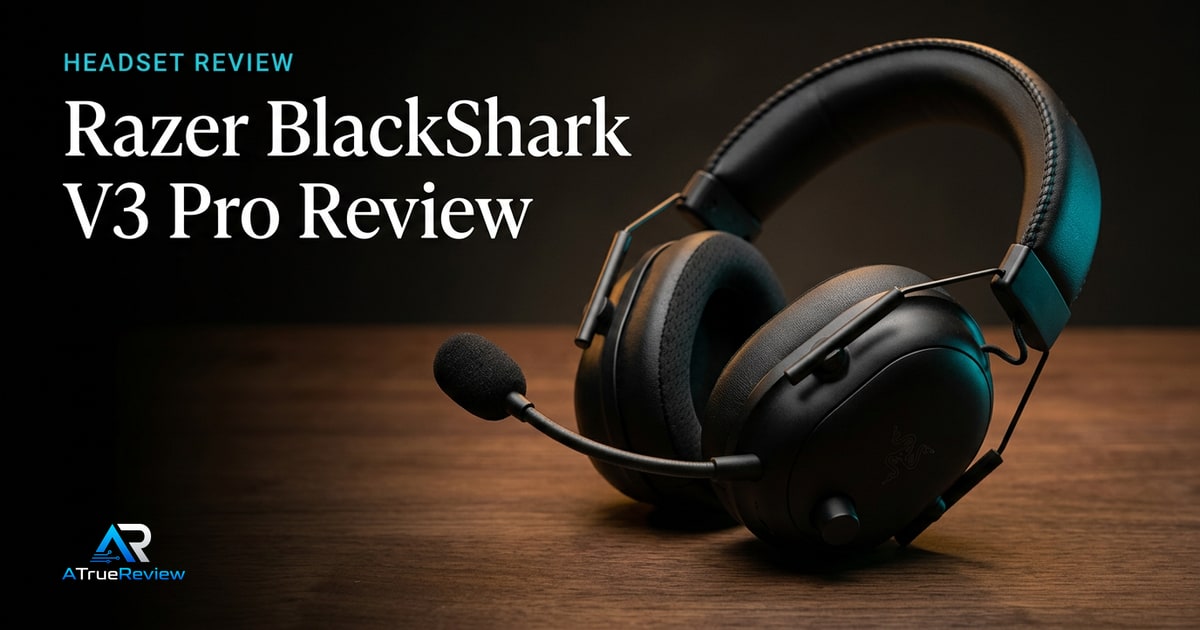
The Razer BlackShark V3 Pro is the clearest current esports-first launch pick. Razer’s official launch materials position it around HyperSpeed Wireless Gen-2, claimed latency as low as 10ms, hybrid ANC, a detachable 12mm 48kHz microphone, Gen-2 TriForce 50mm bio-cellulose drivers, simultaneous 2.4GHz and Bluetooth audio, and platform-specific PC, PlayStation, and Xbox models.Razer Newsroom
That makes it the right first recommendation for competitive players who care about callouts, positional cues, and low-latency wireless more than base-station routing.
Why Arctis Nova Pro Wireless is the feature hub
The SteelSeries Arctis Nova Pro Wireless remains the broader desk-system pick. SteelSeries lists dual USB connections, PC/Mac/PlayStation/Switch/VR support, ANC with Transparency Mode, simultaneous 2.4GHz and Bluetooth, Sonar software, a wireless base station, and hot-swappable batteries with up to 22 hours per battery.SteelSeries
That is a different kind of recommendation. It is for players who want a flexible headset station more than a stripped esports headset.
Why Astro A50 X is the console-switching pick
The Logitech G Astro A50 X is the shortlist’s most console-specific recommendation. Logitech G’s product materials frame it around PLAYSYNC switching between Xbox, PS5, and PC, HDMI 2.1 passthrough for 4K 120Hz HDR/VRR/ALLM, 24-bit LIGHTSPEED wireless, PRO-G Graphene drivers, Bluetooth mixing, and a magnetic charging base station.Logitech G
That makes it a poor fit for someone who only plays on one PC, but a strong fit for a console-heavy setup where switching friction is the real problem.
When a gaming headset is not the answer
A gaming headset is usually the wrong first purchase when:
- the real issue is a weak standalone microphone, not the headphones
- the buyer mostly plays single-player games and does not need a boom mic or platform routing
- the desk setup would be better served by separate headphones plus a USB or XLR mic
- the current frustration is room noise, chat app setup, or console audio settings rather than headset hardware
- the buyer mainly wants portable listening outside the desk, where regular wireless headphones or earbuds make more sense
In those cases, a separate mic, a simpler headphone setup, or a broader everyday audio product will solve the real problem more cleanly.
What still needs hands-on validation
Before this guide becomes a final buyer page, the site should test microphone clarity and rejection, wireless latency perception, footsteps and vertical audio cues, ANC pressure, Bluetooth mixing, platform setup, software friction, battery behavior, heat buildup, clamp force, and whether each headset stays comfortable after several hours.
Where to go next
For a product-level buying verdict, start with the Razer BlackShark V3 Pro review. For broader routing, use gaming headsets for the full category, headphones when the buyer is deciding between gaming-first and everyday listening gear, and the audio hub for the wider listening stack.